Posts

Tuning Apache for low memory

Set MaxRequestsPerChild to low number, start with 200 This should stop apache growing memory usage and using swap memory.

Auto turn off wifi when cable connected

Script ini akan mematikan wifi secara otomatis, saat koneksi menggunakan kabel (ethernet) aktif. Saat kabel disconnect, wifi akan aktif kembali. Buat file /etc/NetworkManager/dispatcher.d/99khad: #!/bin/sh myname=$(basename "$0") || exit 1 log() { logger -p user.info -t "${myname}[$$]" "$*"; } IFACE=$1 ACTION=$2 case ${IFACE} in     eth0)         case ${ACTION} in             up) nmcli nm wifi off                 ;;             down) nmcli nm wifi on                 ;;         esac         ;;     wlan0)         case ${ACTION} in             up)                 ;;             down)           ...

Clean up apache process

routine script for cleaning up process from script kiddies: /etc/init.d/httpd stop /etc/init.d/httpd stop # my killall does not support -u for a in `ps auxww | grep -r ^apache | awk -F " " '{ print $2 }'`; do kill -9 $a done /etc/init.d/httpd start

Change dota key mapping

This is how to change dota key mapping , for accessing inventory faster. Use xkeycaps to help determine keys F1 = keypad 1 F2 = keypad 2 etc. xmodmap -e "keycode  0x43 = KP_1" xmodmap -e "keycode  0x44 = KP_2" xmodmap -e "keycode  0x45 = KP_4" xmodmap -e "keycode  0x46 = KP_5" xmodmap -e "keycode  0x47 = KP_7" xmodmap -e "keycode  0x48 = KP_8" #key 1 and 2 only: xmodmap -e "keycode 0x0A = KP_1 exclam KP_1 exclam" xmodmap -e "keycode 0x0B = KP_2 at KP_2 at"

Script to backup virtual machines

Prerequisites: - VM must be located on LVM - virsh This is my script (all vm will be backup-ed): #!/bin/sh ############################## VOLGROUP=sugriwa LOGVOLSRC=episode1 ##SOURCE=/home/export/vm TARGET=/home/backup/backupvm ## ##default LOGVOLSNAP=snapvm1 SNAPSIZE=15G ############################## if [ "x$1" != "xY" ] ; then echo $0 Y exit fi mkdir "$TARGET/xml" ALLVM=`virsh list --all | tail -n+3 | head -n-1 |  awk '{print $2}'` for a in $ALLVM; do virsh suspend $a virsh dumpxml $a > "$TARGET/xml/$a.xml" done echo creating snapshot lvcreate -L$SNAPSIZE -s -n $LOGVOLSNAP $VOLGROUP/$LOGVOLSRC for a in $ALLVM; do virsh resume $a done mkdir /mnt/$LOGVOLSNAP mount /dev/$VOLGROUP/$LOGVOLSNAP /mnt/$LOGVOLSNAP echo copying... rsync -ahvx --inplace --progress /mnt/$LOGVOLSNAP/ $TARGET/ umount /mnt/$LOGVOLSNAP rmdir /mnt/$LOGVOLSNAP echo removing snapshot lvremove -f...

Your project contains errors, developing android with eclipse

This is how to fix it: # rm  ~/.android/debug.keystore Then close your project, re-open, clean, build http://stackoverflow.com/questions/4954316/your-project-contains-errors-please-fix-it-before-running-it#_=_

Setup Zram to your ubuntu

Now, there is a easier way to use zram, my attempt: http://superbiji.blogspot.com/2011/01/using-zram-was-compcache.html easier way: http://www.webupd8.org/2011/10/increased-performance-in-linux-with.html

Oracle limit with Zend Db

Sometimes we have problem when using Oracle database, because oracle don't have SELECT LIMIT statement. But from Zend Framework source below, SELECT LIMIT is simulated automatically when we are using Zend Db Select:   So we can use Zend Db Select to create query easily, like this: $select = $db->select()              ->from(array('p' => 'products'),                     array('product_id', 'product_name'))              ->limit(20, 10); $result = $select->fetchAll();

Transaction in Zend Framework

Link: How to Root Galaxy Tab 10.1 the Easy Way

Untuk custom recovery dan rooting, Check this out: http://galaxytabhacks.com/galaxy-tab-10-1-hacks/how-to-root-galaxy-tab-10-1-the-easy-way/

Transfer files MTP using ubuntu (honeycomb android)

Tablet using honeycomb such as Samsung Galaxy Tab, Motorola Xoom Using aafm (beta) https://github.com/sole/aafm Rule for udev: SUBSYSTEMS=="usb", ATTRS{idVendor}=="04e8", ATTRS{idProduct} =="685e", MODE="0666", OWNER="khad" # service udev restart forum: http://forum.xda-developers.com/showthread.php?t=1077377 Using ddms: http://forum.xda-developers.com/showpost.php?p=16623845&postcount=27

Ganti DNS di android

Biar browsing di android nggak lemot, ganti DNS-nya pake aplikasi ini: 1.1.1.1 https://play.google.com/store/apps/details?id=com.cloudflare.onedotonedotonedotone Cara lain (android harus rooted): Contoh: biar bisa buka reddit.com di android Android harus sudah di root Cari dan catat beberapa IP Address ( IN A ) website yg dituju: https://dnsquery.org/dnsquery (Tambahkan www. di query jika perlu) Colokkan handphone ke laptop, pastikan USB debugging ON Dari terminal, masuk ke shell android: # sudo su # adb kill-server # adb shell * daemon not running. starting it now on port 5037 * * daemon started successfully * shell@hammerhead:/ $ Dari dalam shell android: $ su (grant root permission) # mount -o remount,rw /system # echo IP_ADDRESS NAMA_WEBSITE www.NAMA_WEBSITE m.NAMAWEBSITE >> /system/etc/hosts misalnya: echo 198.41.208.143 reddit.com www.reddit.com m.reddit.com >> /system/etc/hosts Reboot android  Buka browser dan bisa browsing ke website tersebut ...

Run 64bit Guest on 32bit Host Virtualbox

Virtualbox is really cool software for virtualization and it is free. Latest version of virtualbox support running 64bit guest, even on 32bit host. See this checklist: Make sure your processor support VT-x (or AMD-v) and 64bit Enable in BIOS: Virtual Machine Technology set option in guest: PAE, IOAPIC, ACPI to enabled And most important thing: set OSType to Ubuntu_64 or Windows_64 (note the _64) Install your guest OS (i prefer using headless and rdp)

Using zram (was compcache)

I've tried compcache but dont get good result: http://superbiji.blogspot.com/2010/12/enable-compcache-in-ubuntu.html But zram seem working fine. Compcache will be included in 2.6.37 kernel, named: zram. But if you want to try it follow this step: Download and install 2.6.36 kernel from here: http://kernel.ubuntu.com/~kernel-ppa/mainline/v2.6.36.2-natty/ Get compcache source (not tar.gz), if you get compile error see reference below: hg clone https://compcache.googlecode.com/hg/ compcache make cp zram.ko /lib/modules/2.6.36-02063602-generic/updates/ depmod -a Add this to /etc/rc.local: # if you have 2 core modprobe zram num_devices=2 # 500mb each, usually compressed to 80% echo 524288000 > /sys/block/zram0/disksize echo 524288000 > /sys/block/zram1/disksize mkswap /dev/zram0 mkswap /dev/zram1 swapon /dev/zram0 -p 100 swapon /dev/zram1 -p 100 Next, reboot and run big apps like eclipse, 3 virtual machines Reference: http://www.vflare.org/2010/05/compresse...

Enable compcache in ubuntu

Sometimes I'm running a lot of VM? which needs a lot of memory, so i try to enable compcache: vim /etc/initramfs-tools/initramfs.conf #Edit this line: COMPCACHE_SIZE="60 %" update-initramfs -u reboot After enabled, you can see new swap device (ramzswap): cat /proc/swaps Filename Type Size Used Priority /dev/ramzswap0 partition 1229208 0 100 /dev/sda3 partition 2064344 0 -1 http://code.google.com/p/compcache/

Getting android unique id

Secure.getString(getContentResolver(), Secure.ANDROID_ID); Ref: http://strazzere.com/blog/?p=113

How to mirror wiki for offline reading

Change: wiki.zimbra.com to preferred site

Cara bersihkan kipas laptop / Clean laptop fan

Image
Kalau laptop udah bunyi-bunyi kipasnya, biasanya udah kotor banyak debu. Karena nyari di ebay ngga ada yang jual, jadi coba bongkar sendiri, ternyata gampang: 1. Buka lempeng almuniumnya, 4 sekrup: 2. Tarik keluar baling-baling, terus bersihin 3. Tetesin minyak mesin jahit (singer) di tengahnya: Hasilnya: yessssss........... udah alus ngga bunyi lagi LENOVO / IBM 3000 G410

Cara reset ECU Avz

Abis reset ECU, tarikannya jadi enak lagi Ref: http://www.avanzaxenia.net/showthread.php?tid=1735&page=1 1. Panasin mesin 2. Matiin 3. Cabut sikring efi, 15 detik pasang lagi 4. Nyalain tanpa AC 5 menit 5. Nyalain AC 5 menit 6. Bawa muter2

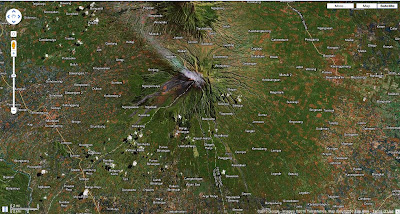
Merapi

Image
Dari google maps: