Posts

Add ssh hosts for auto complete

To add ssh hosts which dont resolve or you can add short name: cat ~/.ssh/config Host myserver1     Hostname 3.4.5.6     Port 12345 Host myserver2-kvm     Hostname 202.1.2.3     User admin To ssh you can use tab completion in terminal: ssh mys<TAB> See also: http://superbiji.blogspot.co.id/2015/05/reuse-ssh-connection.html

What to do after installing Fedora 24+

UPDATED REGULARLY, COME BACK FOR UPDATES Also applies to Fedora 25, 26, 27, etc. Download update and reboot dnf update --refresh -y If migrating from other version use this to find out manually installed packages: dnf history userinstalled To set max installed kernel: vim /etc/dnf/dnf.conf installonly_limit=2 Install gnome-tweak-tool Install rpmfusion packages from http://rpmfusion.org/Configuration dnf install gstreamer{1,}-{ffmpeg,libav,plugins-{good,ugly,bad{,-free,-nonfree}}} --setopt=strict=0 I use this repo before rpmfusion ready: baseurl=http://ftp-stud.hs-esslingen.de/pub/fusion-24/RPMS/ Install steam from http://negativo17.org/steam/ Install gnome extensions http://goo.gl/DKZGcG Show battery percentage gsettings set org.gnome.desktop.interface show-battery-percentage true Add lcd filter (lcddefault or lcdlight) for better font rendering cat ~/.config/fontconfig/conf.d/20- custom .conf <?xml version="1.0"?> <!DOCTYPE fontconfig SYSTEM "fo...
Automatic laptop brightness

Just create crontab :D #crontab -e 0 08 * * * DISPLAY=:0 xbacklight =20 0 09 * * * DISPLAY=:0 xbacklight =30 0 10 * * * DISPLAY=:0 xbacklight =35 0 11 * * * DISPLAY=:0 xbacklight =40 0 12 * * * DISPLAY=:0 xbacklight =40 0 13 * * * DISPLAY=:0 xbacklight =45 0 14 * * * DISPLAY=:0 xbacklight =45 0 15 * * * DISPLAY=:0 xbacklight =45 0 16 * * * DISPLAY=:0 xbacklight =35 0 17 * * * DISPLAY=:0 xbacklight =30 0 18 * * * DISPLAY=:0 xbacklight =20 0 19 * * * DISPLAY=:0 xbacklight =20 0 20 * * * DISPLAY=:0 xbacklight =15 0 21 * * * DISPLAY=:0 xbacklight =15 0 22 * * * DISPLAY=:0 xbacklight =15 0 23 * * * DISPLAY=:0 xbacklight =15 0 00 * * * DISPLAY=:0 xbacklight =15

Installed Gnome Extension (Fedora 24 Gnome 3.20)

Installed Gnome Extensions Now I'm using Fedora 25 with Gnome 3.22 AlternateTab by fmuellner Substitute Alt-Tab with a window based switcher that does not group by application. CPU Power Manager by martin31821 Manage Intel_pstate CPU Frequency scaling driver Disconnect Wifi by kgshank Adds a Disconnect option for Wifi in status menu, when a network is connected. Shows a Reconnect option, when no networks are connected. Freon by UshakovVasilii Shows CPU temperature, disk temperature, video card temperature (NVIDIA/Catalyst/Bumblebee&NVIDIA), voltage and fan RPM (forked from xtranophilist/gnome-shell-extension-sensors) Vitals by corecoding A glimpse into your computer's temperature, voltage, fan speed, memory usage, processor load, system resources, network speed and storage stats. This is a one stop shop to monitor all of your vital sensors. Uses asynchronous polling to provide a smooth user experience. Harddisk LED by bijignome <- me :) ...

Fix ugly font rendering in Linux

mkdir -p ~/.config/fontconfig/conf.d/ Edit this file: ~/.config/fontconfig/conf.d/20-no-embedded.conf  <? xml version = "1.0" ?> <!DOCTYPE fontconfig SYSTEM "fonts.dtd"> <fontconfig> <match target = "font" > <edit name = "embeddedbitmap" mode = "assign" > <bool> false </bool> </edit> </match> </fontconfig> Ref: https://ask.fedoraproject.org/en/question/69232/how-to-fix-font-rendering-of-monaco/

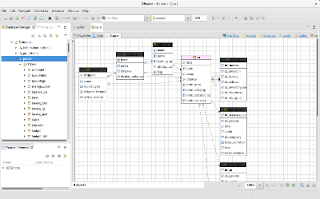
DBeaver is cool

Image
DBeaver is free universal database manager, so far this app is the best tool for managing databases You can download it here: http://dbeaver.jkiss.org/download/

Postgresql disable sequence scan

To optimize some query, sometime we need to disable sequence scan, run this before query: Set enable_seqscan = off; Then do analyze to your query

Trying Fedora 24 alpha

I'm using Refind to choose efi to boot fedora's grub or ubuntu's grub. This is different than just using one grub. Fedora 24 alpha has pure gnome experience, love it Maybe I will switch to Fedora, for several reason: Gnome software (gui for software installer). Ubuntu will replace software center with this too Gnome 3.20, Ubuntu 16.04 : gnome 3.18 also unmodified apps like nautilus, ubuntu use old version of nautilus + patches Ubuntu now using systemd, previously upstart Newer kernel, 4.5, better support for my radeon Wayland, most distro will support Wayland, Ubuntu develop it's own: Mir I can run steam, even not officially supported. I hope steam support fedora soon Boot animation work on my laptop 😁 Update: Ubuntu will use snappy for app sandboxing, gnome has this kind of thing long time ago called xdg-app (flatpak) Update: Linus Torvalds uses Fedora

Slow shutdown or reboot Ubuntu using systemd

You can find out what causing slow shutdown or reboot by enabling journal: # mkdir /var/log/journal # reboot then: # reboot then see previous log: # journalctl -b -1 I found cups-browsed causing slow shutdown on my system, use this script to kill it before shutdown: Create  /etc/systemd/system/beforeshutdown.service [Unit] Description=Script before shutdown [Service] ExecStart=/bin/true ExecStop=/usr/bin/killall -9 -r cups Type=oneshot RemainAfterExit=true [Install] WantedBy=multi-user.target Enable and start it: # systemctl enable beforeshutdown # systemctl start beforeshutdown Try to shutdown: # halt

My .JSHINTRC

This is content of my .jshintrc, I'm using Atom with linter-jshint extension {     "moz": true,     "asi": true,     "sub": true     /*"esnext": true*/ }

Lenovo E450 on Ubuntu Gnome

Some notes running Lenovo E450 on Ubuntu Gnome: 0) Install using UEFI boot Your harddisk will use GPT partition My setting is UEFI boot only, CSM off 1) Wi-Fi disconnect (no problem when using 15.10) sudo apt-get install git build-essential git clone https://github.com/lwfinger/rtlwifi_new.git cd rtlwifi_new make sudo make install http://askubuntu.com/questions/628641/rtl8723be-poor-and-unstable-wireless-in-ubuntu-from-14-04-to-15-04 Create /etc/modprobe.d/rtl8723be.conf options rtl8723be fwlps=0 ips=0 2) Touchpad, when using two finger and moving windows, always jumping to right Go to Settings, Mouse & Touchpad, set Pointer speed to Slow (full left) 3) Grub boot just show grey screen for a few second, then show gnome logo and boot normally Currently no workaround, reported to ubuntu bug 4) Battery charging threshold apt-get install acpi-call-dkms Install tp-acpi-call from https://github.com/teleshoes/tpacpi-bat ./tp-acpi-call -s start 1 40 ./tp-acpi-c...

Create bootable USB flash to boot ISO

Follow these steps to create bootable USB Flash to boot multiple ISO. Using this USB Flash you dont have to bring many installation/recovery DVD. 1. Format USB Flash using FAT32 partition 2. mount it somewhere to /mnt/MOUNTPOINT 3. Install GRUB2 grub-install --target x86_64-efi --efi-directory /mnt/MOUNTPOINT --boot-directory=/mnt/MOUNTPOINT/boot/ --removable 4. Copy ISO files to /mnt/MOUNTPOINT/iso 5. Edit /mnt/MOUNTPOINT/boot/grub/grub.cfg Use this example for start: menuentry 'lenovo diagnostic' {     set isofile='/iso/linux-bootable-cd-4307318.iso'     loopback loop $isofile     linux (loop)/live/vmlinuz boot=live config findiso=$isofile     initrd (loop)/live/initrd.img } menuentry 'systemrescuecd-x86-4.5.4.iso' {     set isofile='/iso/systemrescuecd-x86-4.5.4.iso'     loopback loop $isofile     linux (loop)/isolinux/rescue64 isoloop=$isofile   ...

Atom: my new text editor

Atom version 1.0 has been released. And now atom is my new text editor :) Check it out: https://atom.io/ I'm using these atom packages for PHP development: atom-beautify need to install php-cs-fixer My fixers options: operators_spaces,-multiline_array_trailing_comma,align_equals, align_double_arrow,concat_with_spaces,single_quote,short_tag autoclose-html  (use ctrl-alt-. instead) autocomplete-php linter linter-jshint linter-php highlight-selected minimap minimap-find-and-replace minimap-highlight-selected minimap-linter symbols-tree-view use symbols-list instead unsaved-changes an-color-picker project-plus theme-switcher To get started, try this shortcut: Ctrl-R , Ctrl-T, Ctrl-Alt-. (for html)

Fix NVIDIA gnome-terminal drawing delay

$ nvidia-settings -a InitialPixmapPlacement=0 To make it permanent, add this to ~/.nvidia-settings-rc 0/InitialPixmapPlacement=0

Reuse SSH connection

To reuse existing SSH connection, add this to ~/.ssh/config : ControlMaster auto Host *     ControlPath ~/.ssh/master-%r@%h:%p So you wont be asked for password, when connection to same host, including scp and rsync

DIY: How to fix loose micro usb plug

Image
Required tools: Hit USB plug slowly using hammer and screwdriver. The result is USB plug's plate will be bent slightly

Don't use static field for object when coding Android app

This might save your time:  Don't use static field for object when coding Android app Static methods are OK, create private field or local variable for object and pass it as parameter.

Choosing good USB cable and charge faster

Ever wondering why sometime your phone charges very slow, even using 1A charger. Check the cable! If are using android lollipop, check charging power using Ampere from play store. You can probably see some printed codes on the good quality USB cable, including something like this: "28AWG/2C and 24AWG/2C" or "28AWG/1P + 24AWG/2C". Therefore, charging with a "28AWG/1P + 28AWG/2C" USB cable is normally slower than a "28AWG/1P + 24AWG/2C" cable. Source: http://voyager8.blogspot.com/2013/04/how-to-choose-good-usb-data-and.html?m=1

Email scripts collection (1)

Delete old postmaster email: find /home/vmail/*/postmaster@*/{new,cur} -type f -mtime +30 -delete Delete old trash: find /home/vmail/*/*/.Trash/{new,cur} -type f -mtime +30 -delete Move sent messages to zip: find /home/vmail/*/*/.Sent*/{new,cur} -type f -mtime +30 | zip -m -9 /home/vmail/Sent.zip -@ Move old email to zip: find /home/vmail/domain.com/ -type f -mtime +365 -print | file -F# -if- | grep -E 'rfc822|octet' | awk -F# '{print $1}' | zip -m -9 /home/vmail/Old.zip -@ Update quota2: cd /home/vmail/domain.com du -s * | awk '{ print "insert into quota2 values (\"" $2 "\"," $1 "*1000,1000) on duplicate key update bytes=" $1 "*1000;" }' | mysql -uroot -ppaswot postfixadmin Learn spam from folder Spam: poll mail.domain.com with proto IMAP user 'email@domain.com' there with password 'paswot' folder INBOX.Spam options ssl sslfingerprint 'FB:9D:14:94:FD:F...

Applying patch from remote fork (github)

Find which commit you want to patch, for example: https://github.com/waalt/yowsup/commit/2a56d2c25e53b37221190185c5ffd0eb543bb73f Append ".patch" to URL: https://github.com/waalt/yowsup/commit/2a56d2c25e53b37221190185c5ffd0eb543bb73f.patch Run this to apply: curl https://github.com/waalt/yowsup/commit/2a56d2c25e53b37221190185c5ffd0eb543bb73f.patch | git apply Reference: http://transparatech.com/blog/how-use-git-apply-patch-directly-remote-server-without-downloading-it-first-0